Square vs. Clover vs. Toast for Phone Orders
Ring to Kitchen Team
Published on August 17, 2026
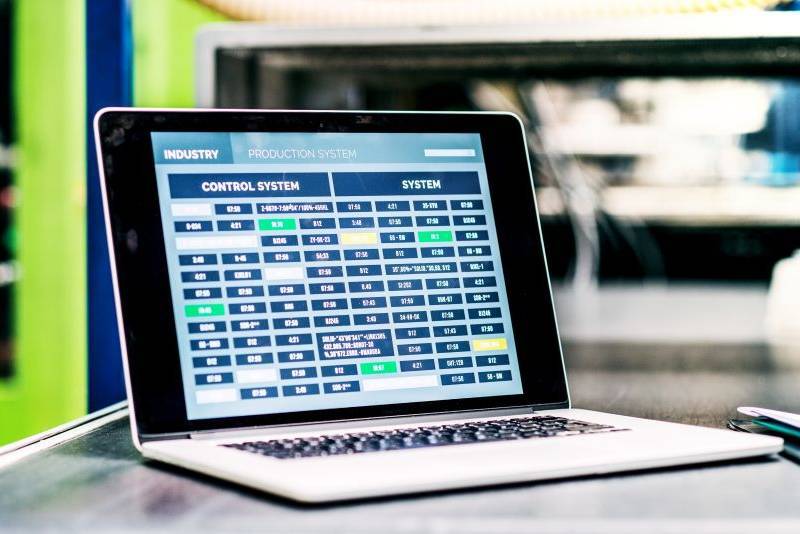
Every POS comparison you can find online reads the same way: a giant feature grid, a lot of checkmarks, and a conclusion that depends on which company pays the site a referral fee. None of it tells you the thing you actually need to know, which is what happens at 7:15 on a Friday when the phone rings, the printer is backed up, and the person taking the order has one hand free.
This article is a different kind of comparison. It does not tell you which system to buy — that depends on your menu, your volume, and what you already own. It gives you a way to evaluate Square, Clover, and Toast on the dimension that matters if a meaningful share of your revenue comes in over the phone, and the specific questions that separate a good demo from a good system.
One note up front: pricing, hardware bundles, and contract terms at all three companies change often, and Clover in particular is frequently sold through banks and merchant-services resellers, which means two restaurants can be on the same platform with very different rates and very different support. Nothing here quotes a price. Get every number in writing from your own rep before you sign anything.
Start with the workflow, not the brand
Before you look at any platform, write down what a phone order actually has to travel through at your restaurant:
Every one of those steps is a place where a system either helps or gets in the way. A POS that is a joy for table service can be clumsy for phone-heavy takeout, and the demo will never show you the clumsy part because the demo is not running during a rush.
What each platform is generally strong at
Painting in broad strokes, because the details change:
Toast is built specifically for restaurants and sells its own hardware and its own restaurant-native modules. That focus is the pitch, and for kitchens that want one vendor covering POS, kitchen display, online ordering, and handhelds, it is a real advantage. The tradeoff of any tightly integrated stack is that you are more committed to that vendor's roadmap and hardware.
Square began as a general small-business payments company and built a restaurant product on top of a very large developer platform. Its strengths tend to be approachability, flexible hardware, and a wide ecosystem of third-party apps. If you want to add tools around the edges over time, a broad app marketplace matters more than most operators expect.
Clover is a Fiserv product distributed heavily through banks and independent merchant-services resellers. That distribution model is the single most important thing to understand about it: your experience of Clover — pricing, support quality, which apps are enabled, contract length — is shaped as much by which reseller sold it to you as by the platform itself. Ask who you are actually buying from.
Notice that none of those descriptions is a verdict. They are starting positions. The verdict comes from the questions below.
Seven questions that expose the phone-order truth
Bring these to every demo, and insist on seeing them performed rather than described.
1. Show me a phone order entered start to finish, at speed. Not a tasting-menu example — your actual most-complicated item, with modifiers, a substitution, and a special request. Count the taps.
2. Where does a phone order print or display, and can I route it differently from dine-in? Takeout tickets that land in the middle of the dine-in queue is how pickup times slip.
3. How does the system handle a scheduled order for 6 PM tomorrow? Timed pre-orders are where a lot of platforms get vague. Ask to see the staging queue.
4. Can I take payment over the phone, and what does that cost versus a card present at pickup? Card-not-present transactions are normally priced higher than in-person ones across the industry. Get your rep to write down both numbers.
5. What happens to my menu if I leave? Ask whether you can export your full item and modifier structure, and in what format. This is the question that reveals switching cost.
6. Is there an open API, and can an outside system create an order in my POS — not just read one? Read access is common. Write access, which is what any outside ordering tool actually needs, is not universal and is sometimes gated behind a partner program.
7. Who do I call at 8 PM Saturday, and is that the same company that sold me the system? For reseller-distributed platforms the answer is often no.
The switching cost nobody budgets
Operators tend to compare monthly software fees and stop there. The costs that actually hurt during a POS change are the ones that do not appear on the quote:
A hypothetical to make it concrete, and to be clear this is an example, not a claim about anyone's real numbers: say switching costs you $2,000 in hardware and roughly forty hours of owner and manager time to rebuild the menu and retrain. If the new platform saves you $80 a month in software, the hardware alone takes over two years to recover — before you count your own hours. That does not mean do not switch. It means a switch has to be justified by a workflow problem you are actually losing money on, not by a slightly better monthly rate.
A decision path that usually holds up
Where the phone still sits outside all of this
Here is the part every POS comparison leaves out. None of these platforms answers your phone. They record the order after a human has already taken it. So if calls go unanswered during your rush, or after close, a better POS changes nothing about the revenue you are losing — it just gives you a nicer record of the orders you did manage to catch.
That gap is what Ring to Kitchen AI was built for: a bilingual agent that answers every call, including several at once, and passes complete orders through to your kitchen regardless of which POS you run. Whatever you decide about Square, Clover, or Toast, decide separately about who is answering at 7:15 on Friday.
The takeaway
Pick the system that makes your most common order — not your most impressive one — fast and hard to get wrong. Make the rep perform it in front of you. Get every rate in writing, ask who supports you at night, and budget the switching cost honestly. A POS is plumbing. The best one is the one your staff stops noticing.
Want help running your restaurant's numbers? Book a free 15-minute call and we will do the math with you — no pitch unless it makes sense.